The Hub
Enterprise Decisioning Platform · Comcast
A cross-platform UX/UI initiative designed to unify fragmented decisioning systems into a centralized enterprise experience.
Role
UI/UX Designer
Client
Comcast
Project Time
4 Months
Platform:
Cross-Platform (Web, Tablet, Mobile)
Tools
Figma
Some details and data have been modified or omitted for confidentiality.
Overview
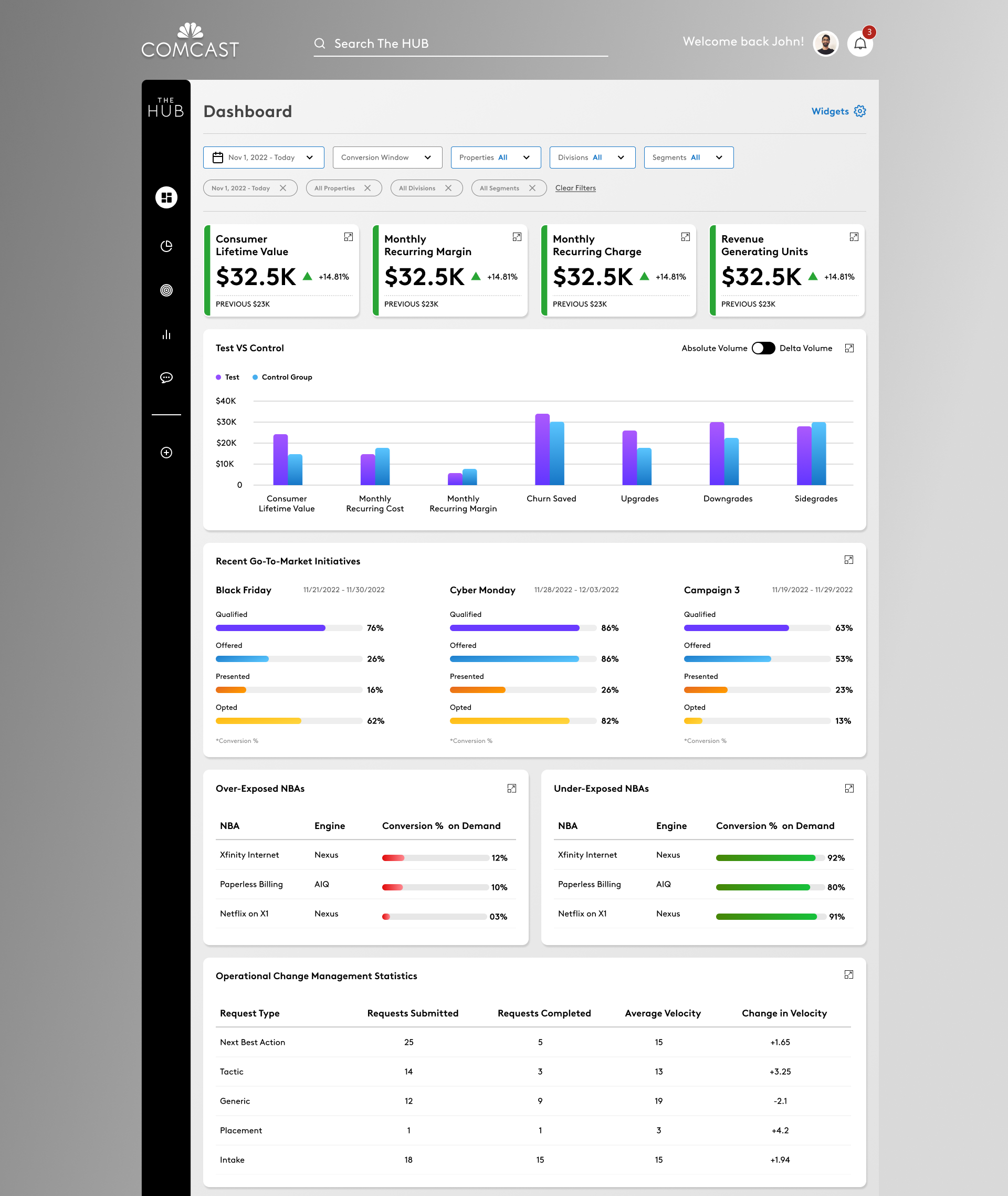
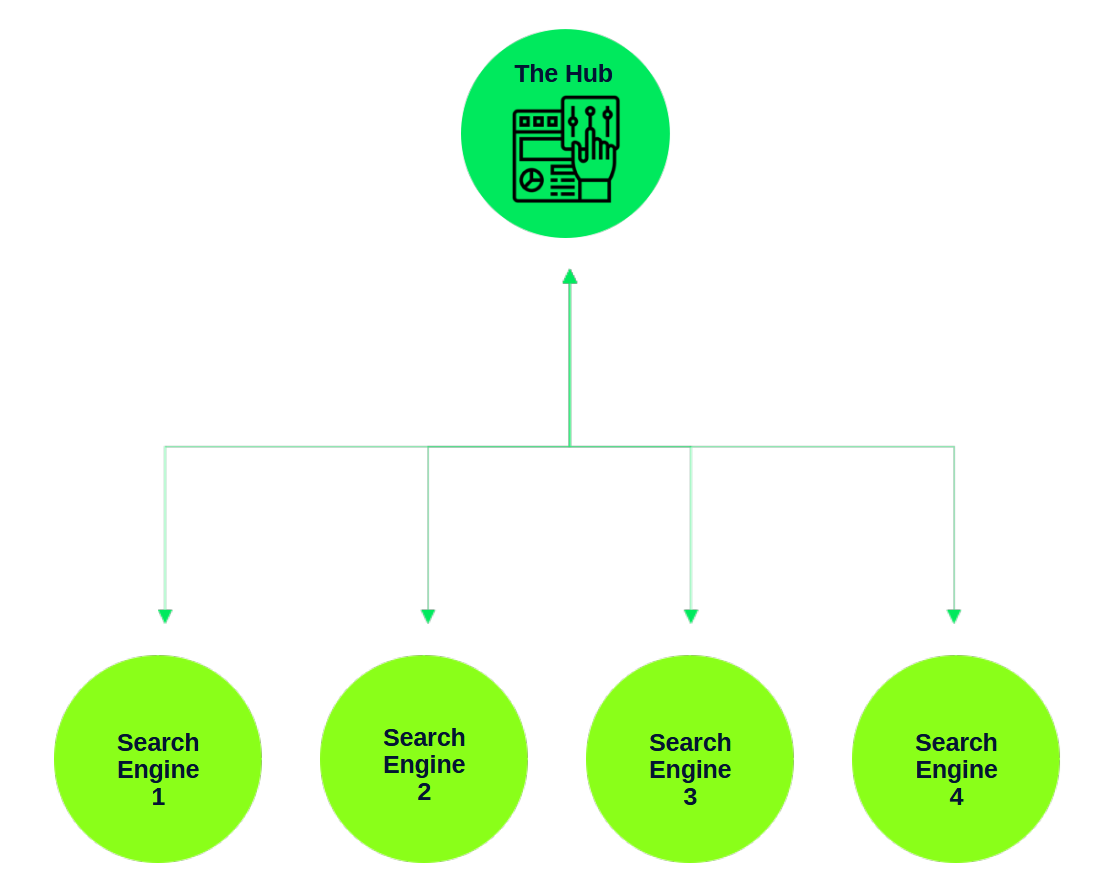
Comcast’s Decisioning Technology team initiated The Hub to consolidate multiple decisioning sub-platforms into a single orchestration interface.
Enterprise users relied on disconnected tools to manage placements, tactics, and performance analysis. This fragmentation led to repeated context switching, inconsistent workflows, and limited cross-system visibility.
The Hub aimed to establish a unified experience that enabled users to analyze, configure, and monitor decision strategies within one structured environment.
Problem
Enterprise decisioning workflows were distributed across multiple tools and systems.
Users lacked a centralized interface to:
View cross-platform performance holistically
Manage tactics and placements cohesively
Maintain workflow continuity between analysis and execution
This fragmentation increased cognitive load and reduced operational clarity in data-heavy environments.
Solution
The Hub was designed as a centralized orchestration layer — a structured enterprise interface that integrated analysis, configuration, and performance monitoring across systems.
The experience emphasized:
Modular information architecture
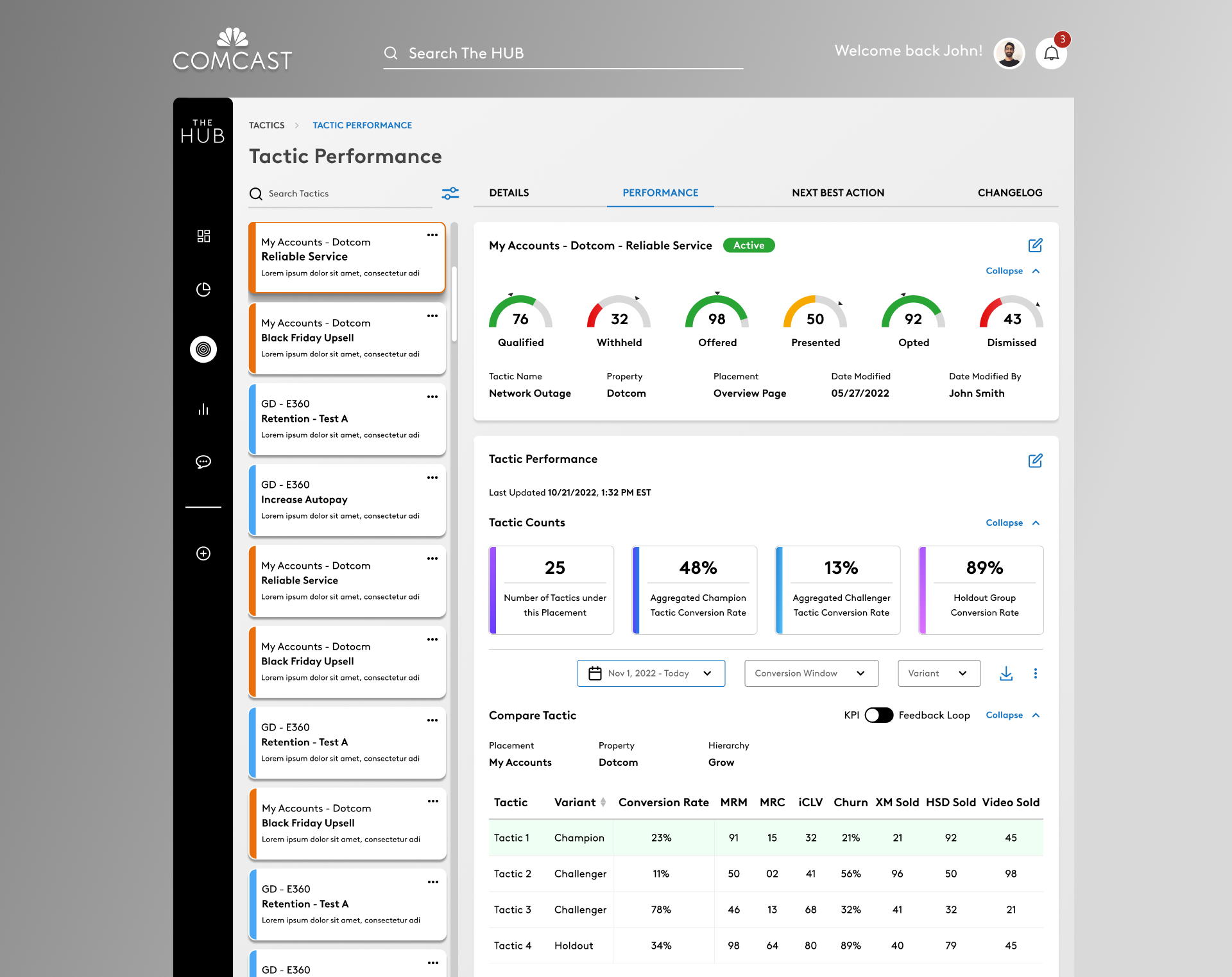
Clear hierarchical UI for dense datasets
Scalable patterns adaptable across devices
Structured workflows aligned with enterprise modules
From Vision to MVE
The project initially focused on validating a high-level experience vision across enterprise personas and strategic workflows.
As the scope evolved, the team defined a Minimum Viable Experience (MVE) — a cohesive, validated foundation of core interactions and UI structures capable of supporting essential workflows while setting the stage for future enhancements.
The MVE included:
Up to 26 high-fidelity screens
Functional workflows
Responsive layouts
Role-based access states
This transition marked a shift from conceptual validation toward executable product design.
UX Structure & Workflows
The platform was organized around core enterprise modules:
Dashboard
Placements
Tactics
Next Best Actions
Support
Requests (Change / New Request)
Administrative capabilities were available through role-based access controls.
Each module supported both analytical and operational workflows.
Interaction design balanced dense data presentation with progressive disclosure, enabling users to navigate between overview and detail without losing context.
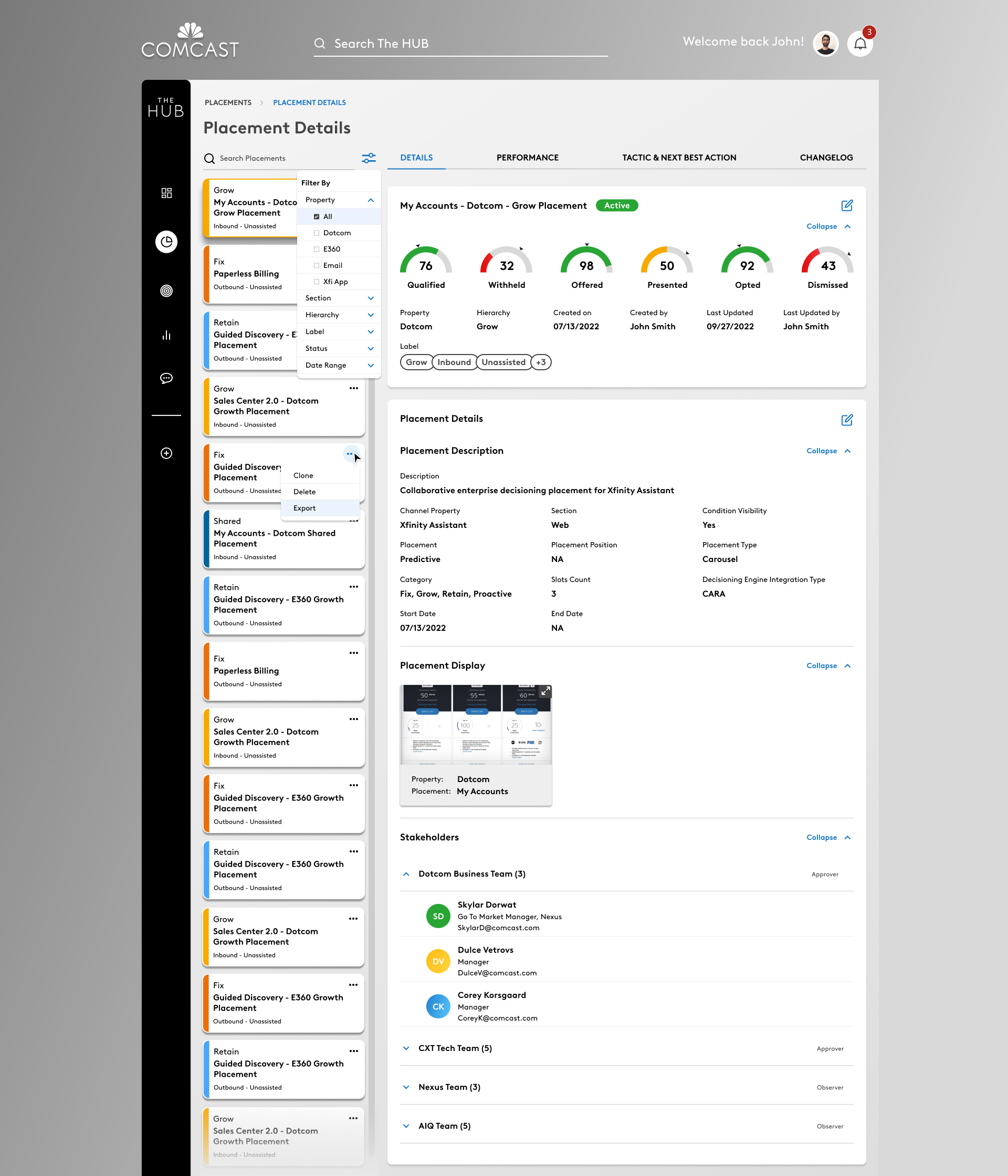
Navigation & Information Architecture
The platform was structured into modular enterprise domains, each representing a major workflow area:
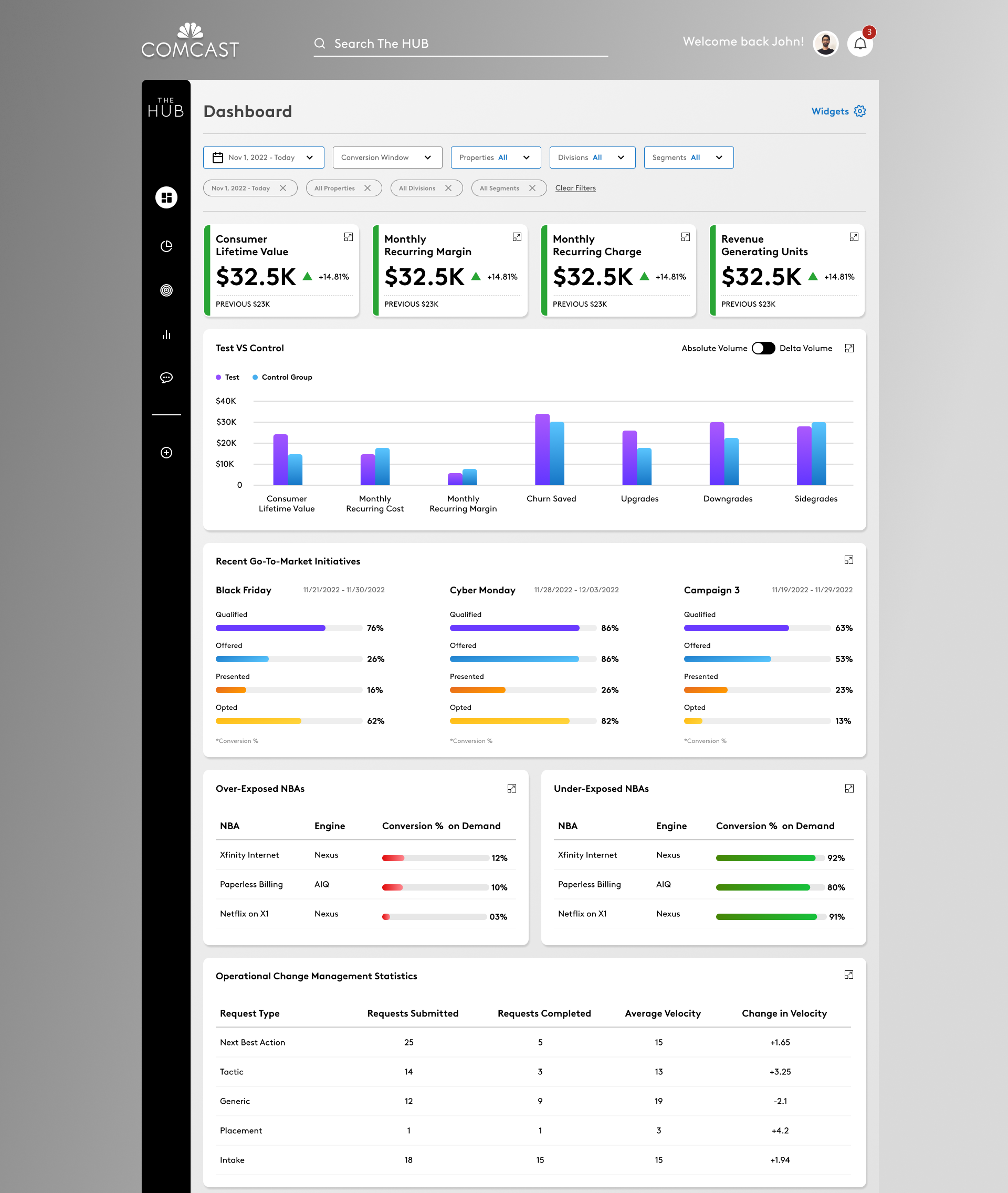
Dashboard – Executive performance overview
Placements – Placement-level strategy and configuration
Tactics – Tactic-level performance and management
Next Best Actions – Optimization recommendations
Support – System assistance and help resources
Requests – Operational workflows for initiating and managing changes or new activities within the system
An additional Administration module was designed for privileged users and appeared as a role-based navigation item.
Each domain supported both analytical visibility and operational actions, enabling users to transition from insights to execution without breaking context.
Interaction patterns were designed to maintain hierarchy and continuity, with progressive disclosure to surface detail only when needed.
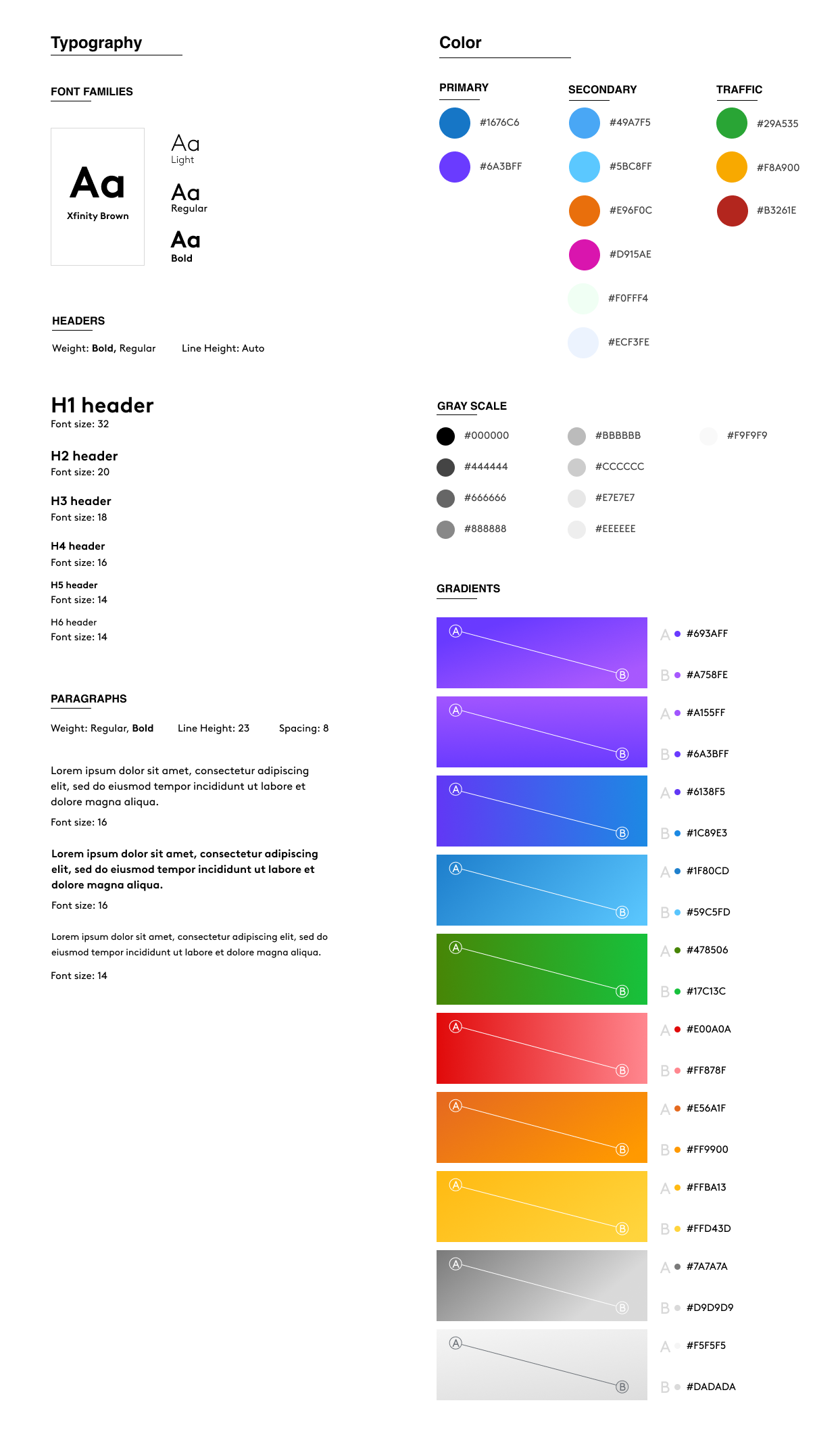
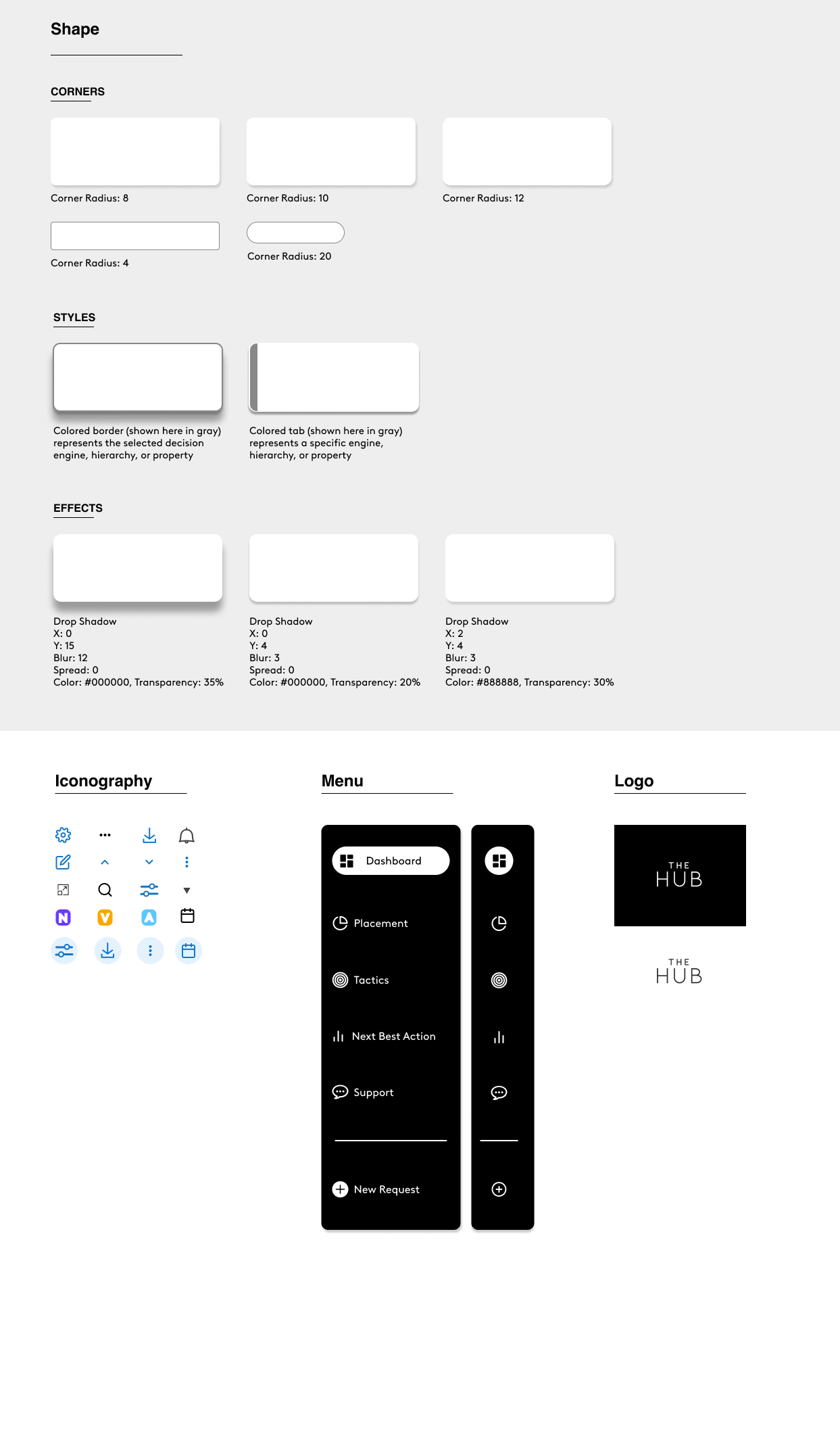
UI Foundation
To maintain clarity across complex datasets, the UI system established:
Structured typographic hierarchy
Consistent grid system
Clear state and status indicators
Reusable component patterns
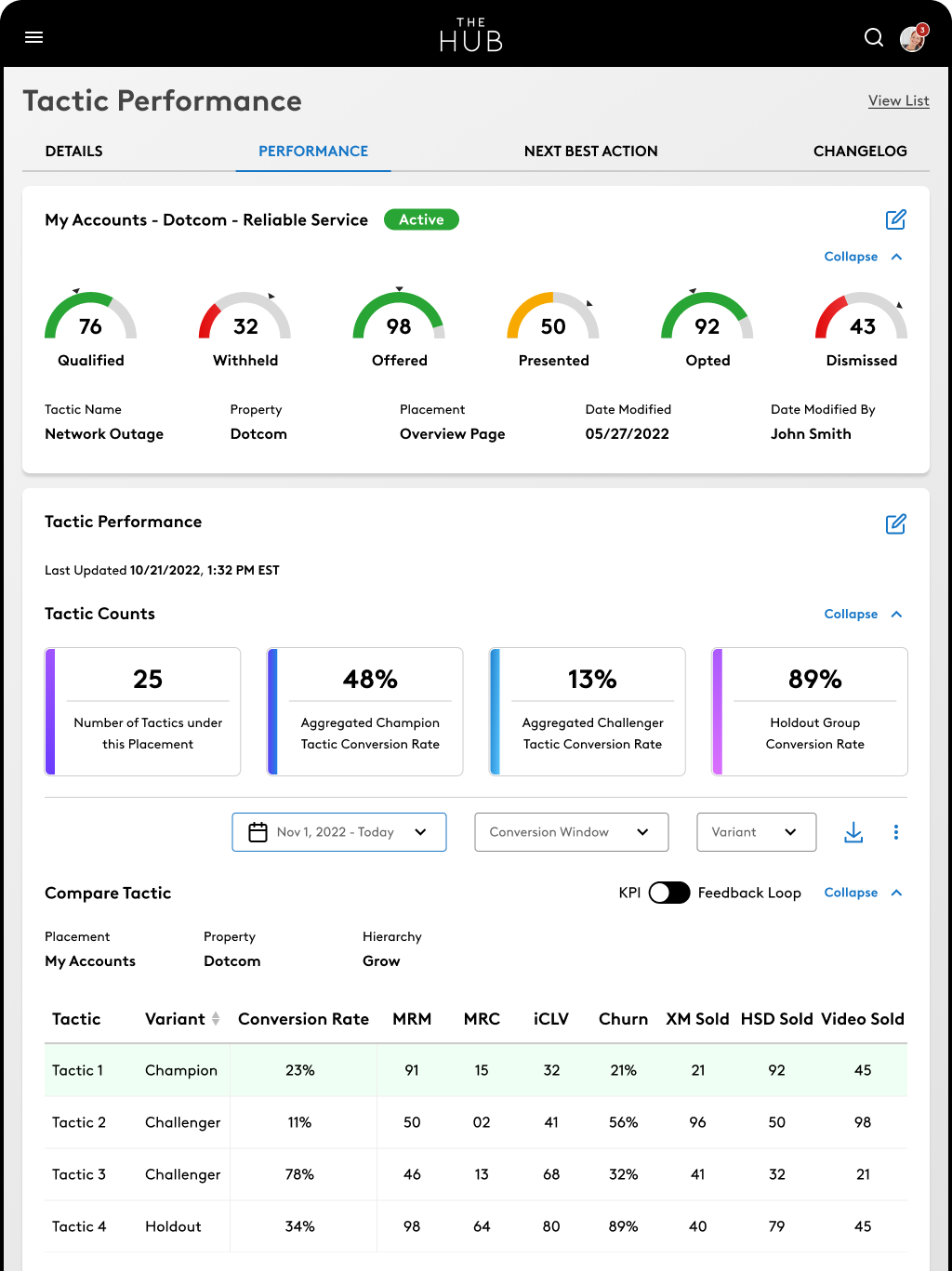
Responsive behavior across breakpoints
These foundations ensured that dense enterprise data remained legible and actionable across environments.
Cross-Platform Execution
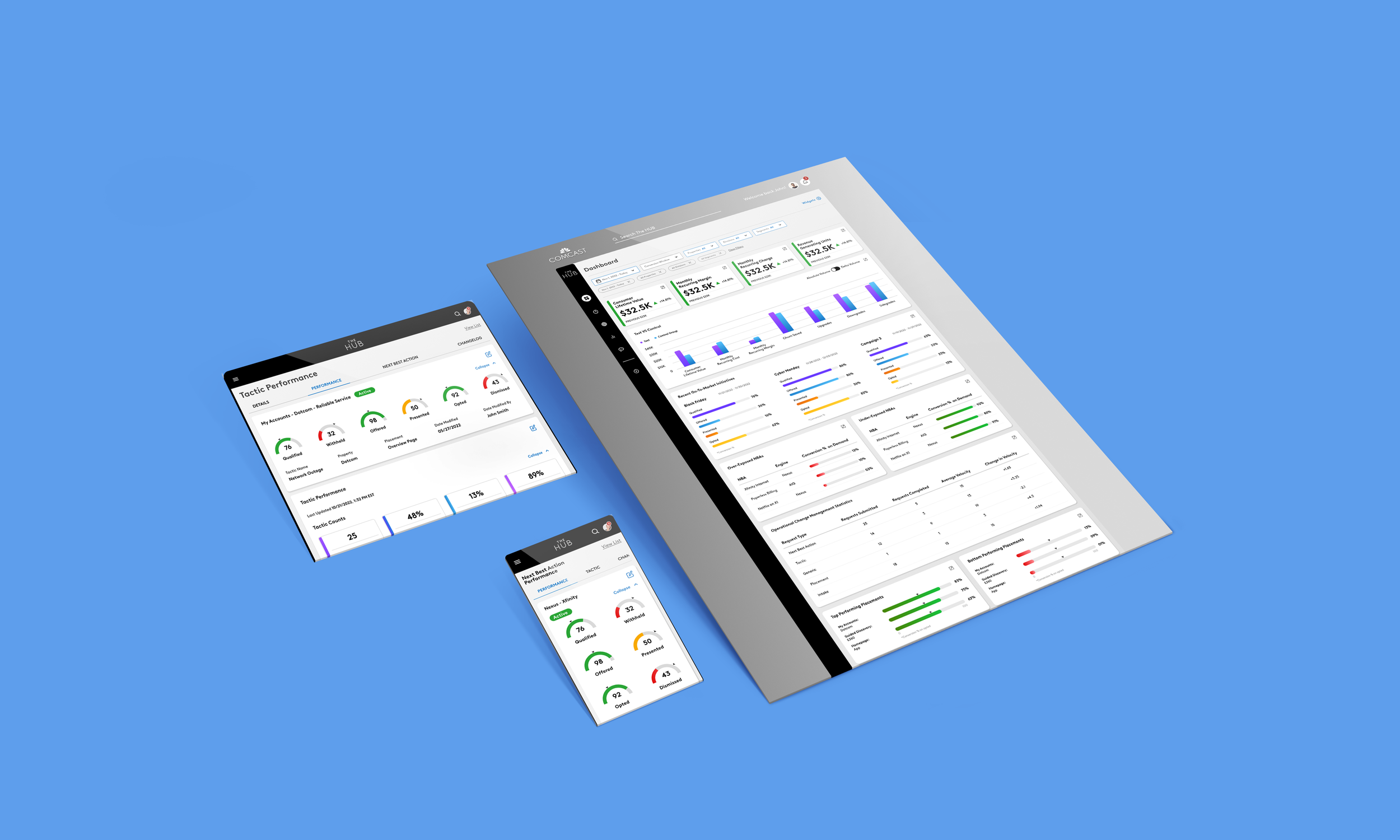
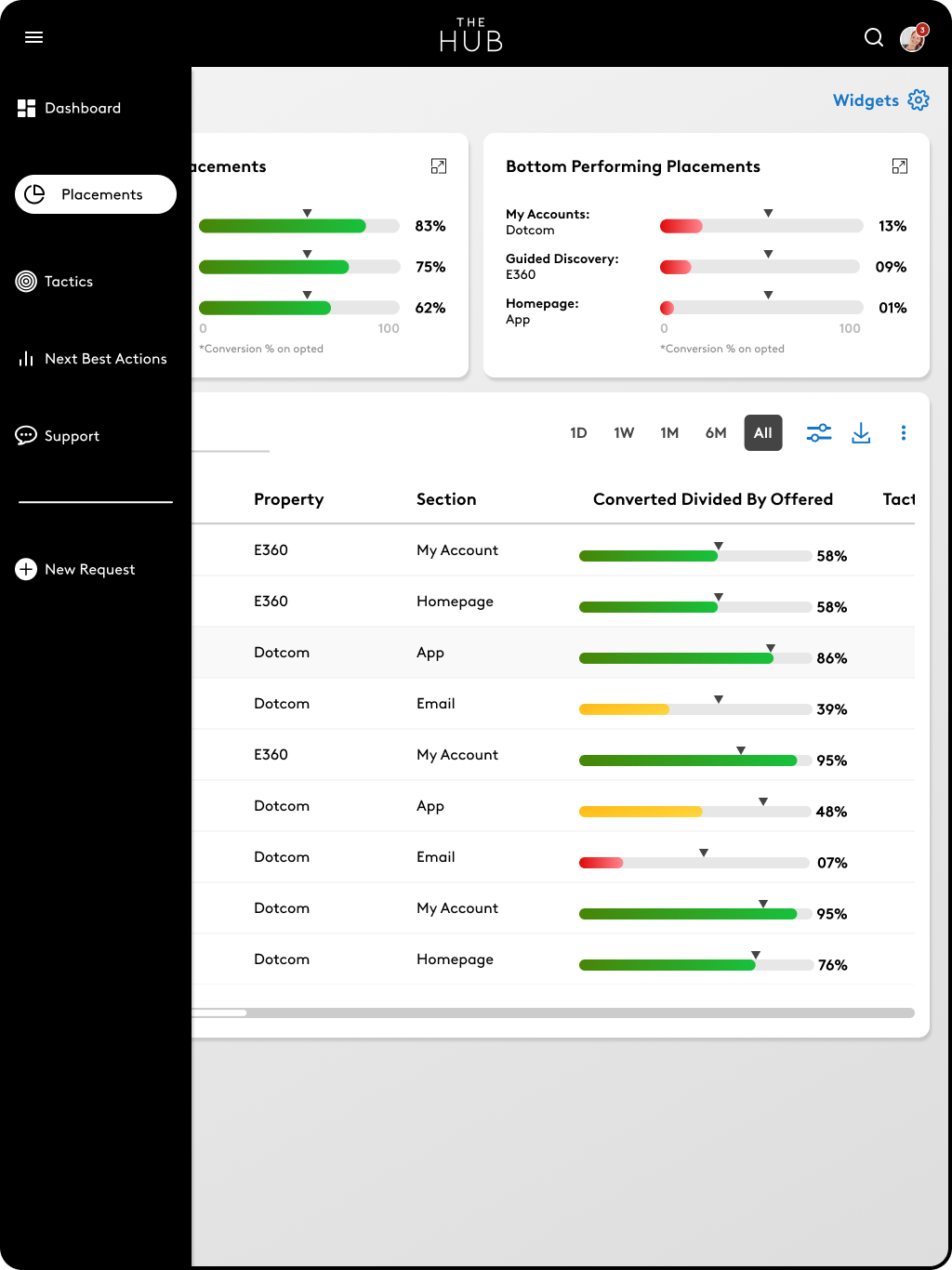
The Hub was delivered across desktop, tablet, and responsive environments. While Desktop prioritized dense information and comprehensive overviews, Tablet layouts optimized mid-detail workflows for touch interactions, and Mobile condensed content into focused, scrollable segments with progressive disclosure.
Layout density, navigation behavior, and interaction patterns were adapted to preserve structural clarity and workflow continuity across screen sizes.

Outcome
The Hub unified previously siloed decisioning systems into a consolidated orchestration platform.
By establishing structured workflows, modular UI architecture, and scalable responsive patterns, the project reduced cognitive load and improved cross-system continuity for enterprise users.
The work created a foundation for continued platform expansion while maintaining clarity across complex, data-heavy environments.
Early feedback from internal stakeholders indicated improved operational efficiency and reduced time spent toggling between systems during critical decision cycles.